
 FNAF 3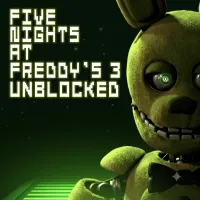
Five Nights at Freddy's 3 Unblocked











OVERVIEW OF FNAF 3 UNBLOCKED
Five Nights at Freddy's 3 Unblocked is a browser version of the original horror survival game. It is often played on school or work computers where installation is not allowed. The game runs directly in a web browser and keeps the core mechanics of monitoring cameras, managing systems, and surviving night shifts against Springtrap and phantom threats.
Story and Setting
The game takes place 30 years after Freddy Fazbear's Pizza closes. A horror attraction called Fazbear's Fright is built using old stories and rumors about the restaurant. You play as a night security guard working from 12 AM to 6 AM. Your job is to monitor the facility and keep systems running until the opening day of the attraction.
GAMEPLAY MECHANICS
FNAF 3 is not about fast movement. It focuses on monitoring systems and reacting to problems. You track Springtrap on cameras, manage audio lures, and fix broken systems. The main goal is to prevent Springtrap from reaching your office before 6 AM. Every mistake increases risk and reduces your control over the situation.
Systems you have to manage
There are three main systems: Camera, Audio, and Ventilation. Cameras track Springtrap's position. Audio devices are used to play sounds to move him away from your office. Ventilation affects visibility and triggers hallucinations if it fails. If systems break down, your ability to survive becomes much lower.
Enemies and Threats
Only one animatronic can directly kill you: Springtrap. He moves through vents and rooms toward your office. However, phantom animatronics appear as hallucinations. They do not kill you directly but cause system failures. These disruptions make it easier for Springtrap to advance and become harder to track.
How to Play FNAF 3 (Guide)
- Check cameras to find Springtrap
- Use audio lure to move him away
- Fix systems when they break
- Always keep ventilation stable
- Don't click cameras randomly
- React fast when warning pops up
RELATED GAMES


